Beautiful.ai - AI Powered Presentation Maker | WhatAI

AI presentation designer with smart templates

Design & Creative
Visit Beautiful.AI → Join Discussion
ℹ️

WhatAI Decision Box

Best for:

Fast creation of professional business decks (pitches, QBRs, marketing), teams needing auto-design and brand consistency, users exporting to PowerPoint workflows.

Not for:

Complex custom animations/timelines beyond basics, heavy multimedia editing (e.g. video timelines), or non-presentation content like reports/docs outside slides.

⇆ Often compared with

ℹ️ WhatAI Field Note

  • Smart Slides handle layout magic automatically, but exports to PPTX can lose animations/audio and require cleanup for fonts/elements.
  • No perpetual free plan — 14-day trial only; Pro suits individuals, Team/Enterprise needed for collaboration and guardrails.

Beautiful.ai is a platform that uses AI to create presentation slides from text prompts and content inputs. It applies automatic design rules through Smart Slides, generating layouts, formatting, and visuals while allowing direct editing in the interface.

About Beautiful.AI

Beautiful.ai is a platform that assists in presentation creation by accepting text prompts and content, then generating slides with automatic design application. The system produces structured decks that include layouts, data visualizations, images, and text formatted according to design rules. It supports tasks such as generating full presentations from descriptions, refining copy with AI assistance, adding brand-consistent visuals, collaborating in shared workspaces, and exporting to common formats. Additional functions enable template selection, slide locking for consistency, real-time team edits, analytics on viewer engagement, and connections to external tools for asset import or sharing, all while operating through a web-based editor.

Use Cases

Professionals generate pitch decks with Beautiful.aiteams collaborate on QBRs using Beautiful.aimarketers create campaign slides in Beautiful.aieducators build lecture materials through Beautiful.aiconsultants export polished decks from Beautiful.ai

Pricing

Pro (Individual)

$45 (monthly)

  • • Annual: $12 per month (billed annually)
  • • Unlimited AI content generation & Smart Slides, custom brand styling (theme builder, colors/fonts/logos), AI image gen/writing/translation, 300+ auto-design layouts, dynamic data viz, embed media, animations, image/icon libraries
  • • 1 member, limited workspace templates/libraries (5 templates, 10 slide lib, 50 assets), self-serve support
  • • for solo users/freelancers

Teams (2-20 seats)

$50 per user (monthly)

  • • Annual: $40 per user per month (billed annually)
  • • Everything in Pro + real-time collaboration, shared workspace/templates/slide/asset libraries (unlimited), version control/locked slides, engagement analytics (viewer/slide tracking, alerts), permissions management, multi-language support (100+ langs, on-demand translation), live data linking, priority support
  • • for small/medium teams needing brand consistency & teamwork

Enterprise (20+ seats)

Custom

  • • Annual: Custom
  • • Everything in Teams + dedicated onboarding/training, top-tier security/compliance (SOC 2 Type II, GDPR, CCPA, PCI), SSO/SAML, SCIM user provisioning, audit/change logs, configurable brand guardrails, dedicated account manager/priority support
  • • for large orgs with advanced governance needs

Ad Hoc/Single Presentation

$45 (one-time)

  • • Full Pro features for one presentation only
  • • cancel after
  • • ideal for occasional/one-off use

SMB Flat-Rate (optional)

  • • Annual: $6
  • • 000/year (up to 50 users) or $12

Pricing varies by plan and region — see current pricing.

Plan features change — last updated: 2026-03-06.

Details

Category: Design & Creative
Skill Level: beginner
Access Methods: browser

Tags

presentationsdesigntemplates

Beautiful.AI Community Discussions

Explore community discussions. Ask and answer questions on Beautiful.AI to grow and learn together.
Creator · Beautiful.AI Design & Creative ✓ Reviewed

Anyone using Beautiful.ai with a team? How do you keep brand consistency?

Hey everyone, If multiple people are making slides, decks can get messy fast. If you use Beautiful.ai in a team setting: - Is collaboration smooth or clunky? - Can you lock brand styles/templates so decks stay consistent? - How do you handle approvals and versioning? - Does it replace PowerPoint for your org or just supplement it? Let me know how your collaborations have worked...
♥ 2 💬 0 👁 4 Reply →
View All Beautiful.AI Discussions

Getting a Sense of Beautiful.ai: Observations from an Official Quick-Start Guide

This Short Video Walks Through the Basic Steps to Build and Share a Presentation

Beautiful.AI Recommended Watch

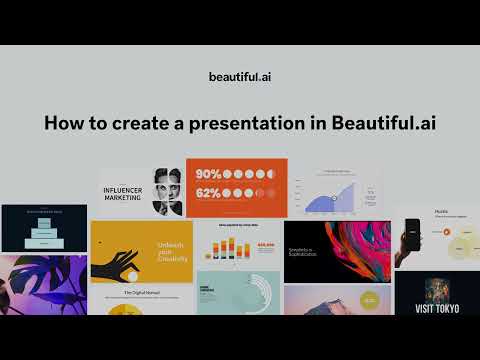
Beautiful.ai keeps the focus tight on the initial creation process in just over two minutes. It begins by directing users to the library section to start a new presentation, presenting three entry points: a blank one tied to a selected theme, team-shared templates if you're in a collaborative setup, or the platform's own starter templates for common structures. Once in the editor, the layout splits clearly, the left panel handles slide-specific adjustments like color schemes, smart layout rules that auto-arrange content as you type or add elements, and drag-and-drop for inserting charts, images, or text blocks. The right side emphasizes team aspects, such as adding comments, tagging collaborators (which triggers notifications via email, in-app, or Slack), and assigning ownership to individual slides. Adding new content involves clicking to insert from blank options or browsing an inspiration gallery for pre-built slide ideas that can be customized on the spot. The video briefly shows presenting mode with a play button for full-screen viewing and sharing via secure email links. It stays purely instructional, demonstrating the interface flow and basic controls without delving into advanced features or AI specifics beyond the platform's general smart-design approach. The pacing suits quick reference, making it easy to pause and replicate steps in your own account.

👍 👎

Beautiful.AI Pros & Cons

User-Friendliness

👍 Pro

Web-based editor with guided workflows, Smart Slides that automatically adjust layouts, spacing, and formatting as content is added, and natural language prompting for AI generation. Suitable for users without advanced design experience

👎 Con

Automated rules restrict manual placement of elements or pixel-level adjustments, which can limit fine-tuning for specific layouts or complex visual storytelling

Creation Speed

👍 Pro

AI generates draft presentations from prompts or outlines quickly, with real-time auto-design handling formatting and transitions to reduce manual setup time

👎 Con

Initial drafts may require multiple iterations for refinement; extensive content additions or custom adjustments can extend overall time compared to fully manual tools

Versatility & Capabilities

👍 Pro

Supports slide types for various formats (pitch decks, reports, lectures, marketing materials) with dynamic data visualizations, multimedia embeds, animations, and AI tools for text assistance, image generation, and translation

👎 Con

Primarily focused on presentation decks with structured slides; less flexible for non-slide formats, highly experimental designs, or content that requires freeform canvas layouts

Knowledge & Research Features

👍 Pro

AI writing assistant and image generation help incorporate supporting visuals or refined text; context from uploaded files or links can be used in generation

👎 Con

No built-in external research, web search, or automated citation tools; users must supply or verify supporting information manually

Integration & Workflow

👍 Pro

Exports to PowerPoint, PDF, images, or embeds; connects with tools like Dropbox, Slack, Salesforce, and others for data linking or sharing workflows

👎 Con

Exports to PowerPoint may require cleanup for full editability; workflow is presentation-centric and may involve manual transfer to other editors for broader content integration

Pricing & Accessibility

👍 Pro

14-day free trial of Pro features for testing full capabilities; Pro plan at $12 per month (billed annually) includes unlimited slides and AI features; ad-hoc monthly option at $45 for single projects

👎 Con

No ongoing free tier beyond trial; Teams plan starts at $40 per user/month (annual) for collaboration; Enterprise requires custom pricing; credit card required for trial

Reliability & Output Quality

👍 Pro

Produces consistent, professional-looking slides with automated design rules that maintain visual hierarchy and polish, suitable as a base for structured presentations

👎 Con

Design can appear flat or templated in some cases; PowerPoint exports occasionally introduce formatting issues; outputs need review for accuracy and alignment with specific needs

Overall Fit for In-Depth Content

👍 Pro

Assists in creating visually structured presentations or supporting decks that organize complex information clearly, with automation freeing focus on content substance and messaging

👎 Con

Best as a specialized tool for slide-based delivery of in-depth material; requires combination with other platforms for text-heavy articles, research integration, or non-presentation formats to achieve comprehensive depth and originality

Beautiful.AI — Frequently Asked Questions

What powers the AI generation in Beautiful.ai?

Beautiful.ai uses models like Gemini (Google), Claude (Anthropic) for text, and Imagen (Google)/DALL·E (OpenAI) for images to generate content and visuals.

Does Beautiful.ai have a free plan?

Beautiful.ai offers a 14-day Pro trial (credit card required); no ongoing free tier — paid plans start after trial.

What export formats are supported?

Beautiful.ai exports to editable PowerPoint (PPTX), PDF, Google Slides, JPEG; animations/audio may not transfer fully to PPTX.

How does collaboration work?

Beautiful.ai provides real-time editing, shared workspaces, template libraries, version control, locked slides, and engagement analytics on Team/Enterprise plans.

What integrations are available?

Beautiful.ai integrates with PowerPoint (add-in), Dropbox (assets), Slack (notifications), Monday.com, Salesforce, Webex, and more.

Related Design & Creative Tools

8 tools
Adobe Firefly logo

Adobe Firefly

$5-$23/mo

DALL-E 3

$0-$200/mo

Framer

$0-$100+/mo

Leonardo AI

$0-$60/mo

Luma AI

$0-$30/mo

Remove.bg

$0-$9/mo

Stability AI

$0-$20/mo

AI Roguelite

$0-$10/mo

Explore the Network

People discussing Beautiful.AI also discuss...

Alternatives to Beautiful.AI

Adobe Firefly Adobe Firefly $5-$23/mo Compare DALL-E 3 $0-$200/mo Compare Framer $0-$100+/mo Compare Leonardo AI $0-$60/mo Compare

Pairs well with Beautiful.AI

Try Beautiful.AI

Visit the official website to get started with Beautiful.AI today.

Visit Beautiful.AI →

Explore More

More Design & Creative Tools

Browse similar AI tools in this category

Compare AI Tools

Side-by-side comparison of features

Community Forum

Discuss Beautiful.AI with other users