Framer No-Code AI Website Builder with Visual Editor | WhatAI

AI website builder with design

Design & Creative
Visit Framer → Join Discussion

Framer is a no-code platform for building professional websites using a visual editor. Users can generate page layouts and advanced components with AI tools such as Wireframer and Workshop. The platform supports responsive design, smooth animations, interactions, a built-in content management system (CMS), analytics, localization, SEO tools, and hosting.

Features and Capabilities

Key capabilities include AI-powered layout generation, custom component creation, real-time collaboration, templates, a marketplace for components and plugins, A/B testing options, and performance insights. Framer offers a free plan for non-commercial use along with Basic, Pro, Scale, and Enterprise paid plans.

About Framer

Framer is a platform that supports website building by combining a visual no-code editor with AI generation tools. The system accepts text prompts for layout and content creation, then produces editable structures including pages, components, and responsive designs. It facilitates tasks such as generating starter pages, adding effects and interactions, managing content via CMS, collaborating in real time, optimizing for SEO and performance, and publishing to hosted domains. Additional functions include translating entire sites, connecting external AI models through plugins, running A/B tests, and analyzing traffic, all while operating through a web-based editor with auto-save and notification features.

Use Cases

Designers build responsive sites with Framerteams collaborate on prototypes using Frameragencies generate layouts quickly via Framercontent managers update pages in Framer CMSdevelopers add custom components through Framer Workshop

Pricing

Free

$0

  • • Unlimited projects (Framer subdomain only), 1,000 total pages, 10 CMS collections, 5 MB file uploads, 1 locale, no custom domain, up to 3 free editors (no sub required), design tool + templates, non-commercial recommended

Basic

$15

  • • Annual: $10 per month
  • • 30 pages, 1 CMS collection, 1,000 CMS items, 10 GB bandwidth/mo, custom domain (+free .com on annual), AI-powered design tools, fast hosting (20 locations), built-in SEO, password protect, site search, well-known files, additional editors $20/mo each

Pro

$45

  • • Annual: $30 per month
  • • Everything in Basic + 150 pages, 10 CMS collections, 2,500 CMS items, 100 GB bandwidth/mo, staging environment + instant rollback, relational CMS, site redirects, additional editors $40/mo each (up to 10 seats)

Scale

$—

  • • Annual: $100 per month (annual only)
  • • Everything in Pro + 300 pages (flexible, +$20 per 100 up to 500), 20 CMS collections (flexible, +$40 per 10 up to 40), 10,000 CMS items (flexible, +$20 per 10k up to 40k), 200 GB bandwidth (flexible, +$40 per 100 GB up to 2 TB), advanced analytics (events/funnels/UTM/extended history), priority support, premium CDN (300+ locations), custom locale regions

Enterprise

Custom

  • • Annual: Custom
  • • Everything in Scale + fully custom limits, enterprise-grade security & governance, dedicated support/onboarding, custom billing (credit card/bank transfer), SSO & compliance options

Pricing varies by plan and region — see current pricing.

Plan features change — last updated: 2026-03-06.

Details

Category: Design & Creative
Skill Level: beginner
Access Methods: browser

Tags

website-builderdesignanimations

Framer Community Discussions

Explore community discussions. Ask and answer questions on Framer to grow and learn together.
JohnP · Framer Design & Creative

Need fast SEO-friendly landing pages + a small blog, is Framer a good long-term choice? PLEASE HELP!

Hey WhatAI Nutjobs, I need a site with: - a high-converting landing page - a small blog/CMS - clean SEO basics (meta, headings, performance) - forms + email capture - easy edits without messing layouts Framer looks perfect for the landing page part. But does it stay solid once you’re publishing consistently and maintaining content? Does anyone know how to help me decide? If you’re doing blogging/SEO in Framer: - Any SEO troubles you found later after signing up? - Is the CMS good enough long-term? - Do you regret not using Webflow/WordPress or do you have any recommended platforms? Cheers JohnP
♥ 2 💬 0 👁 2 Reply →
LucyWebD · Framer Design & Creative

Tried Framer, my site looks amazing, but I’m worried about scaling. Am I overthinking it?

I played with Framer, and I love how quickly you can make something look premium. It feels like you can build a “designer site” way faster than most tools. But I’m worried about the stuff you only learn later: - managing multiple pages and keeping styles consistent - CMS / blog maintenance over time - SEO depth beyond basics - moving content or migrating later if you outgrow it For people using Framer in production: - What type of site is it best for? - What do you avoid using it for? - Any “wish I knew this before committing” advice? Trying to decide whether to go all-in or keep it for landing pages only.
♥ 1 💬 1 👁 5 View 1 reply →
View All Framer Discussions

Taking Note of Framer's AI Workflow: Details from a 2025–2026 Beginner Tutorial

Watch This 25-Minute Beginner Tutorial & Launch a Stunning, High-Converting Website in Under an Hour

Framer Recommended Watch

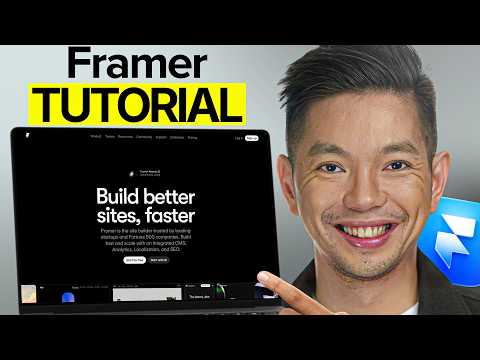
From the WhatAI team's side, we track clear, structured explanations of no-code platforms like Framer, and this tutorial by Mikey Website stands out for walking through the current state of its AI features in a logical sequence without assuming prior knowledge. The content starts with an overview of Framer's pricing tiers (noting the free plan's limits on pages and domains versus paid upgrades for more flexibility), then moves into crafting effective prompts—describing the site's purpose, audience, style, and key sections to guide the AI in generating an initial layout. It demonstrates building a sample fitness coach landing page in real time: selecting from generated options, swapping in custom text and images, adjusting colours and fonts to match branding, checking responsive views across devices, and layering in animations like fades or hovers via Framer Motion. Later sections cover scaling with the CMS for dynamic elements (setting up collections for blogs, portfolios, or repeated items), basic SEO tweaks (titles, descriptions, alt text), and the final publish steps, including free custom domain setup on eligible plans and DNS basics. The pacing includes timestamps for each stage, making it easy to jump to specific sections, such as mobile previews or CMS setup. It stays focused on the interface and practical choices rather than broad claims, pointing out where manual edits improve results over pure AI output.

👍 👎

Framer Pros & Cons

User-Friendliness

👍 Pro

Visual drag-and-drop canvas that feels like Figma + Framer AI prompt-to-full-site in seconds. Non-tech solopreneurs and course creators launch pixel-perfect sales pages, lead funnels, or affiliate sites with zero coding

👎 Con

Designer-first interface has a learning curve for pure beginners; first 2–3 sites take longer than Carrd or Webflow until you get the muscle memory

Creation Speed

👍 Pro

Framer AI turns “create a high-converting SaaS landing page for my AI tool” into a fully responsive, animated site in under 60 seconds. Real users ship client sites or product launches 5–10x faster than traditional builders

👎 Con

AI starter sites still need manual polish for perfect copy & branding; rushing without tweaks can hurt conversions on high-ticket offers

Design & Animation Power

👍 Pro

Butter-smooth interactions, scroll animations, hover effects, and component variants = websites that feel premium and boost time-on-page + conversions (proven for coaching, digital products, agency sites)

👎 Con

Overdoing animations can hurt mobile load speed if not optimized; not as “set & forget” as template-heavy builders

CMS & Content Features

👍 Pro

Built-in relational CMS, dynamic collections, on-page editing, and multi-language = perfect for blogs, testimonials, pricing tables, or membership areas that keep content fresh and SEO strong

👎 Con

Free/Basic plans cap CMS items/collections hard (1–10 collections); scaling content sites forces quick jump to Pro/Scale and higher costs

Publishing & Integrations

👍 Pro

Blazing-fast global hosting, free custom domains on paid plans, built-in SEO + analytics + easy embeds (Stripe, Memberstack, ConvertKit, etc.). Go live with one click and start collecting leads/sales instantly

👎 Con

No native full e-commerce cart/checkout (you need third-party tools); not ideal for heavy online stores vs Shopify/Webflow

Pricing & Value

👍 Pro

Free plan to test AI and build real pages + Basic only $10/mo (annual) gets custom domain + commercial rights. Pro $30/mo unlocks everything most solopreneurs/agencies need for unlimited revenue sites

👎 Con

Free is strictly non-commercial; heavy users hit CMS/page limits fast and jump to $30–$100/mo plans. Extra editors and locales add up quickly

Collaboration & Workflow

👍 Pro

Real-time multi-user editing + client handoff links + Pro Experts get free seats = perfect for outsourcing design to VAs while you focus on offers and paid traffic

👎 Con

Full team features and higher editor limits locked behind Pro/Scale; solo Basic users miss advanced sharing workflows

Monetization Fit (Overall)

👍 Pro

The fastest way to create scroll-stopping, conversion-optimized landing pages, sales funnels, portfolios, and lead magnets that actually close high-ticket offers, courses, SaaS, or agency work

👎 Con

Best for beautiful marketing sites and lead-gen; if you need deep e-commerce, large CMS blogs, or 100% code-free simplicity, you’ll pair it with Shopify/Carrd or leave speed & polish on the table

Discuss Framer

Join the conversation below to share your experience, ask questions, post reviews, suggest new features or integrations, or discover similar AI website builder tools. All feedback is welcome.

Framer — Frequently Asked Questions

What AI tools are built into Framer?

Framer includes Wireframer for prompt-based page generation, Workshop for visual component building, AI Translate for site localization, and AI Plugins for external model connections.

How does Wireframer work?

Wireframer generates responsive pages from text chat prompts; the output is editable in the main canvas, but chat history clears when closing the project.

Does Framer have a free plan?

Framer offers a free plan for basic use with limits on custom domains, collaboration editors, and features like advanced hosting.

What hosting and publishing options exist?

Framer provides integrated hosting with custom domains (paid), pre-rendering, AVIF image optimization, and performance tools.

Can Framer handle multilingual sites?

Framer supports AI Translate for one-click multi-language conversion, with add-on locales available on paid plans.

Related Design & Creative Tools

8 tools
Adobe Firefly logo

Adobe Firefly

$5-$23/mo

Beautiful.AI

$0-$50/mo

DALL-E 3

$0-$200/mo

Leonardo AI

$0-$60/mo

Luma AI

$0-$30/mo

Remove.bg

$0-$9/mo

Stability AI

$0-$20/mo

AI Roguelite

$0-$10/mo

Explore the Network

People discussing Framer also discuss...

Alternatives to Framer

Adobe Firefly Adobe Firefly $5-$23/mo Compare Beautiful.AI $0-$50/mo Compare DALL-E 3 $0-$200/mo Compare Leonardo AI $0-$60/mo Compare

Pairs well with Framer

Sources & References

  1. Framer AI features page ↗
  2. Official Framer website ↗

Try Framer

Visit the official website to get started with Framer today.

Visit Framer →

Explore More

More Design & Creative Tools

Browse similar AI tools in this category

Compare AI Tools

Side-by-side comparison of features

Community Forum

Discuss Framer with other users