Grammarly logo

Grammarly - AI Writing Assistant for Grammar & Clarity | WhatAI

AI-powered writing and grammar assistant

AI Writing & Content
Visit Grammarly → Join Discussion

Grammarly is an AI tool that analyzes and improves written text in real time. It processes typed or pasted content, then suggests corrections and enhancements for grammar, spelling, punctuation, style, tone, clarity, conciseness, and engagement while flagging potential plagiarism.

About Grammarly

Grammarly is a platform that assists writing by analyzing text inputs in real time and suggesting improvements across grammar, spelling, punctuation, style, tone, clarity, conciseness, engagement, and inclusivity. The system produces corrected and enhanced versions of content, generates new text from prompts, detects plagiarism, and applies user-defined goals (audience, formality, domain). It supports tasks such as typing in any web field (via extension), editing documents in the web editor/desktop app, generating replies/outlines, adjusting tone sliders, and reviewing overall writing stats. Additional functions include vocabulary suggestions, citation formatting, team style guides (Enterprise), and cross-device sync, all via browser extensions, desktop/mobile apps, and web interface.

Use Cases

Students improve essays with Grammarlyprofessionals write clear emails using Grammarlycontent creators enhance blog posts through Grammarlyteams maintain consistent tone in Grammarlywriters generate outlines and replies in Grammarly

Pricing

Free

$0

  • • Basic spelling/grammar checks, tone detection, generate text with 100 AI prompts/month, works across apps/browsers (limited suggestions), no plagiarism detection, no advanced rewriting/tone adjustments

Pro

$30 ($12 per member/month billed annually or $20 quarterly equivalent)

  • • Annual: $12 per member/month (billed annually as $144/year)
  • • Everything in Free + full-sentence rewriting, advanced tone adjustments, fluency/clarity suggestions, plagiarism & AI-generated text detection, 2,000 AI prompts/month per member, unlimited personalized suggestions, priority support, team features (style guides, brand tones, user groups for small teams), 7-day free trial

Enterprise

Custom

  • • Annual: Custom
  • • Everything in Pro + unlimited AI prompts/member/month, unlimited members/users, dedicated support, advanced security (SAML SSO, SCIM, BYOK encryption, data loss prevention, audit logs, managed mode), granular roles/permissions, team analytics/ROI reports, effective communication scoring, confidential mode, centralized billing, custom integrations, enterprise-grade privacy & compliance

Pricing varies by plan and region — see current pricing.

Plan features change — last updated: 2026-03-08.

Details

Category: AI Writing & Content
Skill Level: beginner
Access Methods: browser, extension, mobile

Tags

writinggrammarediting

Grammarly Community Discussions

Explore community discussions. Ask and answer questions on Grammarly to grow and learn together.
ToddyH · Grammarly AI Writing & Content

I write a lot of emails and proposals at work, I have always struggled with typing does Grammarly genuinely save time, or just tweak wording?

I’m trying to write faster with fewer mistakes across Gmail/Docs/web. Grammarly looks like the “always-on” option is that true? Anyone community daily users answer these ones for me: - Does it catch real issues you’d otherwise miss? - Does it help with clarity/tone or just grammar? - What workflows does it shine in? - Is it annoying and give bad suggestions? Thanks.
♥ 1 💬 2 👁 5 View 2 replies →
SmartLegend18 · Grammarly AI Writing & Content

Grammarly AI Review (2026): How AI Writing Assistance Helps Professionals Communicate with Clarity and Confidence

Clear communication is one of the most valuable professional skills in 2026. Whether you're sending emails, drafting reports, responding to clients, or collaborating across teams, the way you write directly impacts how you're perceived. That’s where Grammarly and its AI writing assistance come in. In this guide, we’ll break down how Grammarly’s AI tools help professionals communicate with clarity, confidence, and authenticity. Inspired by real-world use cases like customer success professional Chinelo, we’ll explore how Grammarly supports daily workflows, from polishing emails to adjusting tone, without losing your unique voice. If you're wondering whether AI writing tools are worth it for professional communication, this in-depth review will help you decide. Check out the video from Grammarly. https://www.youtube.com/watch?v=tBRPf3a6a8s
♥ 3 💬 0 👁 3 Reply →
View All Grammarly Discussions
Gallery

Grammarly Showcase

1 items
Grammarly AI Review (2026): How AI Writing Assistance Helps Professionals Communicate with Clarity and Confidence

Grammarly AI Review (2026): How AI Writing Assistance Helps Professionals Communicate with Clarity and Confidence

SmartLegend18

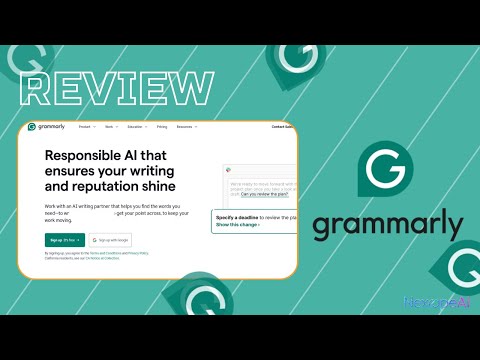
Grammarly's AI Features: Insights from a Straightforward Review Video

This Walkthrough Shows How Grammarly Handles Real-Time Suggestions, Rewrites, and Cross-App Integration

Grammarly Recommended Watch

The walkthrough highlights practical elements such as one-click paragraph rewrites that adjust for formality, confidence, or audience fit, on-demand prompting for generating replies or expanding ideas, custom style guides that enforce brand voice across a team, and academic-oriented checks, including citation formatting, plagiarism scanning, and feedback on structure. It notes the free tier's access to essential grammar, punctuation, and basic tone adjustments, compared with the Pro plan's expanded capabilities, such as unlimited AI rewrites, advanced prompts, and deeper analytics on writing habits. The presentation stays grounded in screen examples of everyday scenarios, drafting emails, editing posts, or polishing reports, without overstating results, and it mentions the platform's broad compatibility as a key strength for consistent use. We point to this video for a clear snapshot of Grammarly's workflow in practice. If you're assessing AI tools for improving written output in daily tasks, it's a useful way to see the features demonstrated step by step. Take a look at the examples shown.

👍 👎

Grammarly Pros & Cons

Interface & Accessibility

👍 Pro

Web-based editor with real-time suggestions; browser extensions, desktop apps, and mobile support for seamless use across devices and platforms like email, documents, and browsers.

👎 Con

Requires account creation and login for full functionality; some users report occasional interface changes (e.g., format updates) that require adjustment.

Core Writing Assistance

👍 Pro

Detects and corrects grammar, spelling, punctuation, clarity, conciseness, and style issues in real time; provides explanations for suggestions.

👎 Con

Suggestions can occasionally be overly prescriptive, alter intended meaning, or miss context-specific nuances in creative or technical writing.

Tone & Style Detection

👍 Pro

Identifies tone (e.g., confident, friendly, formal) and offers adjustments to match audience or goals while preserving user voice.

👎 Con

Tone suggestions may not always align perfectly with subtle or industry-specific intent; limited customization in free tier.

Generative AI Features

👍 Pro

Supports text generation, full-sentence/paragraph rewrites, and prompt-based creation (limited in free plan, expanded in paid).

👎 Con

Free plan caps AI prompts (e.g., 100/month); outputs can require significant editing for accuracy or originality in complex cases.

Additional Checks

👍 Pro

Includes plagiarism detection, citation support, and readability/engagement insights in higher plans.

👎 Con

Plagiarism checker and advanced originality tools are restricted to paid tiers; not as comprehensive as dedicated academic tools for in-depth checks.

Integrations & Compatibility

👍 Pro

Works across major platforms (Google Docs, Microsoft Word, email clients, browsers); supports collaborative environments in business/enterprise plans.

👎 Con

Some integrations may have limitations (e.g., embedded media support); requires separate setup for certain apps or tools.

Pricing Structure

👍 Pro

Free plan available with basic corrections and limited AI; Pro at $12/month (annual) or $30/month for advanced features; Enterprise for teams with custom pricing.

👎 Con

Free version limits generative AI and advanced checks; Pro/Enterprise costs add up for individuals or small teams with moderate-to-high usage.

Overall Suitability

👍 Pro

Functions as a comprehensive AI-assisted writing companion for everyday professional, academic, and business communication, with strong focus on error-free and polished output.

👎 Con

Best for standard prose and business writing; may need supplementation for highly specialized, creative, or long-form content where deeper contextual understanding is required.

Grammarly — Frequently Asked Questions

What does Grammarly check beyond grammar?

Grammarly analyzes clarity, conciseness, tone, engagement, delivery, inclusivity, vocabulary, and plagiarism; suggests rewrites and generative text.

Is Grammarly free?

Grammarly offers a free plan with basic grammar/spelling checks; Premium unlocks advanced tone, clarity, plagiarism, generative AI, and full rewrites.

Does Grammarly work offline?

Grammarly desktop app supports offline basic checks; browser extension and web editor require internet for full features and generative AI.

How does plagiarism detection work?

Grammarly scans against billions of web pages and ProQuest database (Premium), highlights matches, and provides source links.

Can Grammarly generate content from scratch?

Grammarly’s generative AI (Compose mode) creates text from prompts (e.g. emails, outlines, replies) and rewrites existing content.

Related AI Writing & Content Tools

8 tools

AI Roguelite

$0-$10/mo

Adobe Firefly logo

Adobe Firefly

$5-$23/mo

Animoto AI

$0-$79/mo

Anyword logo

Anyword

$19-$99/mo

AskCodi

$0-$29/mo

Bardeen

$0-$49/mo

Beatoven.ai

$0-$49/mo

Beautiful.AI

$0-$50/mo

Explore the Network

People discussing Grammarly also discuss...

Alternatives to Grammarly

AI Roguelite $0-$10/mo Compare Adobe Firefly Adobe Firefly $5-$23/mo Compare Animoto AI $0-$79/mo Compare Anyword Anyword $19-$99/mo Compare

Pairs well with Grammarly

Sources & References

  1. https://www.grammarly.com/ ↗
  2. https://www.grammarly.com/plans ↗
  3. https://support.grammarly.com/ ↗

Try Grammarly

Visit the official website to get started with Grammarly today.

Visit Grammarly →

Explore More

More AI Writing & Content Tools

Browse similar AI tools in this category

Compare AI Tools

Side-by-side comparison of features

Community Forum

Discuss Grammarly with other users